
AI Agent Handover: Seamless Chatbot to AI to Human Escalation
Build intelligent escalation chains that route conversations from chatbot to AI agent to human support — preserving full context at every step. Resolve more queries automatically while ensuring complex issues reach the right person.
Intelligent Agent Handover
Build multi-tier escalation chains that handle 85% of queries automatically while routing complex cases to the right human agent.
Intelligent multi-tier escalation
Configure escalation rules based on intent, sentiment, confidence scores, and custom triggers. Each tier handles what it does best — chatbot for FAQs, AI for complex reasoning, humans for empathy and judgment.
Full context preserved at every handover
When a conversation escalates, the receiving agent sees the complete chat history, extracted customer data, sentiment analysis, and AI-suggested resolutions. No information is lost between tiers.
Smart routing to the right agent
Route conversations to specific teams or agents based on topic, language, priority, customer tier, or agent expertise. Ensure every escalation reaches the person best equipped to help.
Why AI Agent Handover Matters
Customers expect instant responses and seamless transitions when their issues require human expertise.
24/7 Coverage
AI agents handle conversations around the clock. Customers get instant responses even outside business hours, weekends, and holidays.
Reduced Agent Workload
Automate 85% of repetitive queries so human agents focus on complex, high-value conversations that truly need their expertise.
Faster Resolution
Eliminate wait times with instant AI responses. Average resolution time drops from 15 minutes to under 2 minutes for common issues.
Context Retention
Every handover preserves the full conversation history, extracted entities, and customer sentiment — no one asks the customer to repeat themselves.
Cost Savings
Reduce support costs by up to 60% by automating first-contact resolution. Scale support without scaling headcount proportionally.
Customer Satisfaction
CSAT scores improve when customers get instant answers for simple questions and seamless transfers for complex ones.
How AI Agent Handover Works
Set up intelligent escalation in minutes with zero code.
Chatbot Handles Initial Query
Your chatbot engages the visitor, answers common questions, and collects context using your configured flows.
AI Agent Takes Over Complex Issues
When the chatbot detects a complex query, it seamlessly transfers to an AI agent powered by leading AI or Claude — with full conversation context preserved.
Human Agent Steps In When Needed
If the AI agent cannot resolve the issue, it escalates to a human agent with the complete transcript, context, and suggested resolution.
AI Agent for Every Industry
See how businesses use intelligent escalation to deliver faster, smarter support.
Customer Support
Triage incoming support tickets, resolve common issues automatically, and escalate billing or technical problems to specialized agents
Sales Qualification
Qualify leads through conversational Q&A, score prospects with AI, and route hot leads directly to sales reps with full context
Technical Troubleshooting
Walk users through diagnostic steps, run automated checks, and escalate unresolved technical issues to engineers
Healthcare Triage
Assess patient symptoms, schedule appointments, and escalate urgent cases to medical professionals with symptom summaries
Financial Advisory
Handle account inquiries, provide balance and transaction info, and route investment or loan questions to licensed advisors
Legal Intake
Collect case details, classify legal issues, and schedule consultations with the right attorney based on case type
Ready to Automate Your Support Escalation?
Join thousands of businesses using AI agent handover to resolve issues faster, reduce costs, and delight customers. Start free, no credit card required.
AI Agent Handover FAQ
Everything you need to know about AI agent handover and intelligent escalation for chatbots.
What Are AI Agents: Beyond Simple Chatbots
An AI agent is an autonomous software system that can perceive its environment, reason about goals, take actions, and learn from outcomes -- fundamentally different from a traditional chatbot that follows predefined scripts. While a chatbot responds to user input by pattern-matching against a decision tree, an AI agent actively reasons about the best course of action, accesses external tools and data sources, and adapts its behavior based on context accumulated throughout the conversation. According to Gartner's 2024 Hype Cycle for AI, autonomous AI agents represent the most transformative emerging technology in customer service, projected to handle 40% of service interactions end-to-end by 2027.
Key Characteristics That Define AI Agents
AI agents possess several capabilities that distinguish them from scripted chatbots:
- Reasoning: They can analyze complex queries, break them into sub-tasks, and determine the optimal resolution path without explicit programming for every scenario
- Tool use: They can call APIs, query databases, search knowledge bases, and trigger workflows in external systems autonomously
- Memory: They maintain conversation context across sessions, remembering customer preferences, past issues, and interaction history
- Judgment: They know when they cannot handle a request and proactively escalate to humans with full context
- Adaptation: They improve over time as they encounter new scenarios and receive feedback
In the Conferbot platform, AI agents are powered by OpenAI GPT integration and operate as the middle tier in a three-level architecture. The rule-based chatbot built with the visual builder handles structured, predictable interactions at near-zero cost. The AI agent handles complex, open-ended queries that would require hundreds of rule branches to script. Human agents via live chat handle exceptions requiring empathy, authority, or creative problem-solving. This layered approach ensures every conversation is handled by the most appropriate -- and cost-effective -- resource.
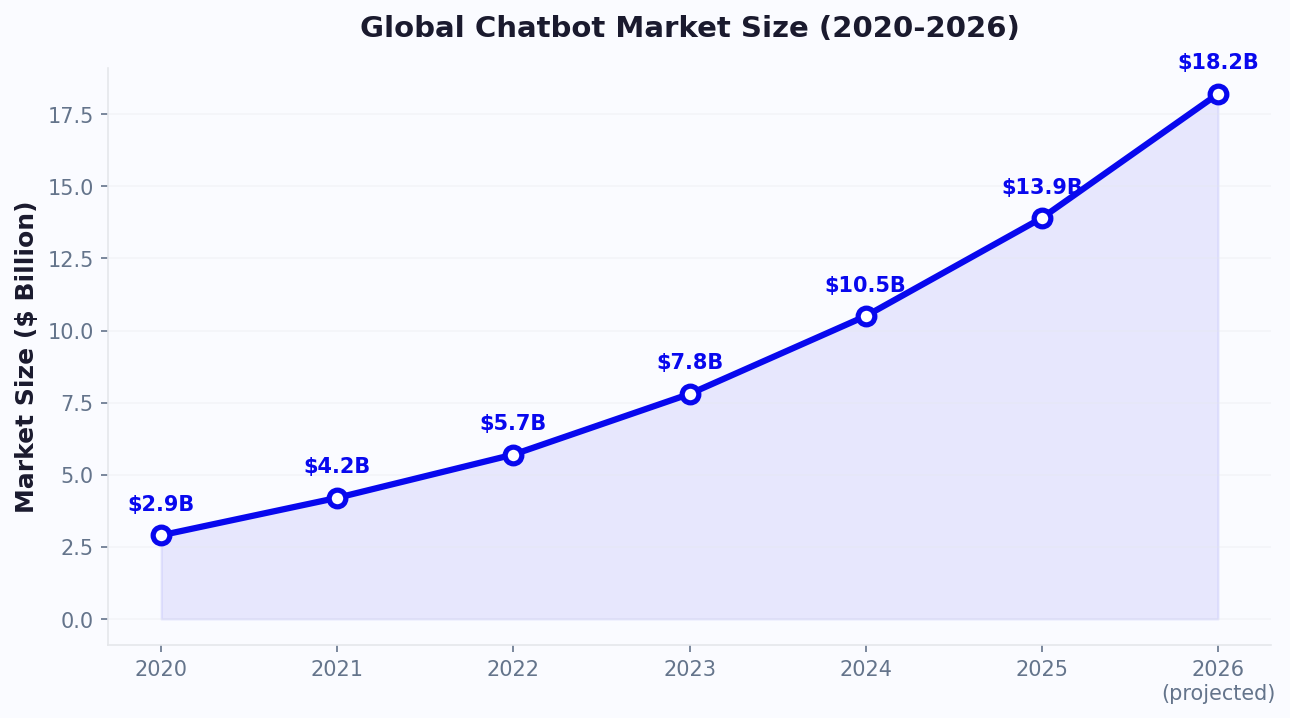
The market demand for AI agent capabilities is accelerating rapidly. Zendesk's 2024 CX Trends report found that 75% of CX leaders believe traditional chatbots will be obsolete within 3 years, replaced by AI agents that can resolve issues autonomously. For organizations evaluating whether AI agents justify the investment, our ROI calculator models the cost savings from AI agent deployment versus expanding human support teams.
AI Agents vs Chatbots: Detailed Capability Comparison
Understanding the precise differences between AI agents and traditional chatbots is critical for making the right technology investment. Many platforms market simple chatbots as "AI agents," creating confusion in the market. The following comparison breaks down the functional differences across 10 dimensions that matter most for customer experience and operational efficiency.
| Capability | Traditional Chatbot | AI Agent (Conferbot) | Impact |
|---|---|---|---|
| Query handling | Predefined intents only | Open-ended reasoning | 85% fewer "I don't understand" responses |
| Context window | Current session only | Full history + CRM data | No repetition across sessions |
| Resolution approach | Direct answer or escalate | Multi-step problem solving | 3x more issues resolved without humans |
| Tool integration | Pre-configured only | Dynamic API calling | Real-time data access |
| Training required | Extensive intent/entity setup | Knowledge base + guidelines | 80% faster deployment |
| Handling ambiguity | Asks clarifying questions from list | Reasons about most likely intent | 40% fewer conversation turns |
| Personalization | Variable substitution | Contextual tone adaptation | Higher CSAT scores |
| Failure mode | Loops or dead ends | Graceful escalation with context | 95% fewer abandoned conversations |
| Cost per resolution | $0.01-0.05 | $0.05-0.30 | 10-100x cheaper than human |
| Escalation quality | Basic transcript pass | Summary + entities + sentiment + suggestions | 50% faster human resolution |
The optimal strategy is not choosing between chatbots and AI agents but deploying both in a layered architecture. Rule-based chatbots excel at structured, high-volume tasks: appointment scheduling, order tracking, FAQ responses, and form collection. AI agents handle the long tail of complex queries that defy simple scripting. Together, they resolve 90%+ of conversations without human intervention while maintaining high satisfaction scores. See how this compares across platforms on our comparison page.
Handover Architecture: The Three-Tier Escalation Model
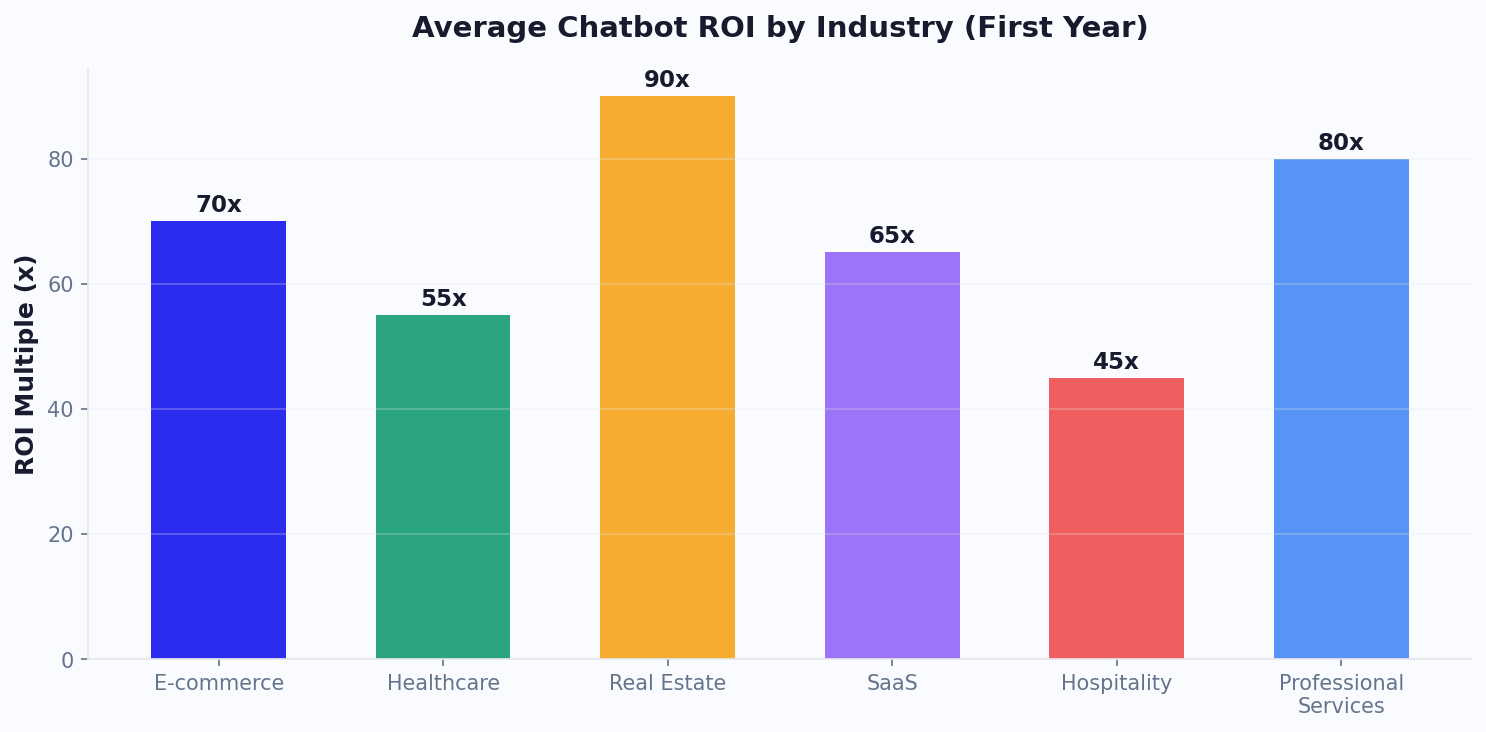
Conferbot's handover architecture implements a three-tier escalation model designed to route every conversation to the most appropriate resource at the lowest cost. Each tier has distinct capabilities, cost profiles, and use cases. The architecture is configurable per chatbot, per channel, and even per customer segment -- a VIP customer might skip directly to Tier 2 or Tier 3, while a first-time visitor starts at Tier 1.
Tier 1: Rule-Based Chatbot
The foundation layer handles 60-70% of all inbound conversations using scripted flows built with the visual builder. This tier excels at structured interactions: greeting visitors, qualifying leads with sequential questions, collecting contact information, answering FAQs from a predefined list, booking appointments via calendar integration, and routing inquiries to the correct department. Cost per interaction: $0.01-0.05. Response time: instant (under 100ms). The chatbot operates deterministically -- the same input always produces the same output -- making it predictable and easy to audit.
Tier 2: AI Agent (GPT-Powered)
When Tier 1 cannot confidently handle a query (confidence score below threshold, unrecognized intent, or complex multi-part question), the conversation escalates to the AI agent. This tier uses OpenAI GPT with access to the knowledge base, conversation history, and configured tools (APIs, databases). The AI agent can reason through novel questions, synthesize information from multiple sources, and handle nuanced conversations that would require dozens of rule branches. Cost per interaction: $0.05-0.30. Response time: 1-3 seconds. Handles 20-30% of conversations.
Tier 3: Human Agent
The final escalation tier connects customers to human agents via live chat. This tier handles the 5-15% of conversations that require empathy (frustrated customers), authority (billing disputes, refund decisions), creative problem-solving (unusual situations), or regulatory compliance (identity verification, legal matters). The human agent receives the complete conversation transcript, extracted entities, sentiment analysis, AI-suggested responses, and customer profile data. Cost per interaction: $8-22. Resolution time: 5-15 minutes.
The architecture supports conditional routing rules: skip Tier 1 for returning customers with open tickets, skip to Tier 3 for conversations containing keywords like "cancel," "lawsuit," or "manager," and keep VIP customers within a dedicated agent pool. After-hours behavior is independently configurable -- Tier 2 can continue operating 24/7 while creating tickets for Tier 3 follow-up during business hours. This layered approach is what enables companies to offer always-on support without proportionally scaling their human team.
Escalation Triggers: Configuring Smart Routing Rules
The quality of an AI agent handover system is determined by its escalation triggers -- the rules that decide when a conversation should move from one tier to the next. Escalate too aggressively and you waste expensive human resources on queries the bot could handle. Escalate too conservatively and customers endure frustrating interactions with an AI that cannot help them. Conferbot provides six categories of escalation triggers that can be combined using AND/OR logic for precise routing control.
1. Confidence Score Triggers
Every AI response includes a confidence score (0-100%). When the score drops below your configured threshold (default: 60%), the conversation escalates. This is the most common trigger and catches situations where the AI is unsure about its response. Best practice: set Tier 1 to Tier 2 threshold at 70%, and Tier 2 to Tier 3 threshold at 50%.
2. Sentiment-Based Triggers
Real-time sentiment analysis detects frustration, anger, or dissatisfaction in customer messages. When negative sentiment is detected in two or more consecutive messages, the system can escalate proactively -- before the customer explicitly asks. This prevents the common failure mode where frustrated users receive increasingly irrelevant AI responses.
3. Intent-Based Triggers
Certain intents should always route to specific tiers regardless of confidence. Billing disputes, cancellation requests, legal inquiries, and security concerns can be configured to bypass Tier 1 and Tier 2 entirely, routing directly to specialized human agents.
4. Duration Triggers
Conversations exceeding a time threshold (e.g., 5 minutes without resolution) indicate that the current tier is struggling. Duration triggers prevent infinite loops where the AI keeps attempting different approaches without success.
5. Explicit Request Triggers
When a customer types "talk to a human," "agent please," or similar phrases, the system immediately escalates regardless of other metrics. Respecting explicit preferences is critical for customer satisfaction.
6. Custom Webhook Triggers
External business logic can trigger escalation via webhooks. For example: CRM data showing the customer has an ARR above $100K, a recent complaint ticket, or a pending renewal might trigger immediate human routing.
- Combine triggers with AND logic: "sentiment negative AND confidence below 60%"
- Combine triggers with OR logic: "explicit request OR intent is cancellation"
- Override triggers for specific customer segments or channels
- Schedule different trigger thresholds for business hours vs after-hours
Data from Conferbot customers shows that the cascading confidence model (70% Tier 1-to-2, 50% Tier 2-to-3) combined with sentiment detection achieves the optimal balance: 91% customer satisfaction while keeping only 10% of conversations reaching human agents. Use our ROI calculator to model how these trigger thresholds affect your support costs.
Context Preservation: Ensuring Zero Information Loss During Handover
The most common complaint about support escalation is having to repeat information. Accenture research found that 89% of customers are frustrated when they need to re-explain their issue to a new agent. Context preservation is the technical capability that solves this problem -- ensuring that every piece of information collected at any tier is available to all subsequent tiers. Conferbot implements comprehensive context preservation that goes far beyond simply passing a chat transcript.
What Gets Preserved During Handover
When a conversation escalates from one tier to the next, the receiving agent (AI or human) gets access to:
- Full conversation transcript: Every message exchanged, including system messages and internal notes
- Extracted entities: Customer name, email, phone, account number, order ID, product mentioned, issue category -- automatically parsed from conversation
- Sentiment timeline: How customer sentiment changed throughout the conversation, highlighting frustration points
- Resolution attempts: What the previous tier tried, what worked, what failed -- preventing repetition
- Customer profile: CRM data including past purchases, support history, account tier, lifetime value
- AI-suggested responses: The AI agent's recommended next steps for the human agent to consider
- Collected form data: Any information gathered through chatbot forms (address, preferences, selections)
- Files and media: Screenshots, documents, or images the customer shared during the conversation
Context Format for Human Agents
Human agents receive context in a structured summary panel alongside the chat window -- not buried in a wall of text. The summary includes: one-line issue description, customer emotion state, key entities as labeled fields, a timeline of what has been tried, and suggested next actions. In A/B testing, agents with structured context summaries resolve escalated tickets 47% faster than agents who receive only raw transcripts.
Context also flows backwards. When a human agent resolves an issue, the resolution is stored and used to improve Tier 1 and Tier 2 responses for similar future queries. This creates a learning loop where the system continuously improves its resolution capabilities. The knowledge base is automatically updated with new resolution patterns discovered during human-handled conversations.
For teams deploying across multiple channels, context preservation extends cross-channel: a conversation started on WhatsApp and escalated to a human agent on the web dashboard carries full context from the messaging platform. Browse templates with pre-configured escalation flows that include context preservation out of the box.
Agent Assist Copilot: AI-Powered Suggestions for Human Agents
Even when conversations reach human agents, AI continues to add value through the Agent Assist Copilot -- a real-time suggestion system that helps agents respond faster, more accurately, and more consistently. The copilot operates as a sidebar in the live chat dashboard, providing contextual recommendations without taking control of the conversation. According to McKinsey's 2024 State of AI report, agent assist tools improve agent productivity by 35-45% and reduce average handle time by 25-30%.
Copilot Capabilities
The Agent Assist Copilot provides several categories of real-time support:
- Response suggestions: AI-generated draft responses based on conversation context and knowledge base that agents can send with one click or edit before sending
- Knowledge surface: Relevant articles, FAQs, and documentation automatically surfaced based on the customer's question -- no manual searching required
- Sentiment alerts: Real-time warnings when customer sentiment shifts negative, with de-escalation talking points
- Similar case lookup: Past conversations with similar issues and their resolutions, showing what worked
- Compliance reminders: Automatic prompts for required disclosures, verification steps, or regulatory language based on conversation topic
- Auto-fill templates: Pre-populated response templates with customer-specific data (name, order number, account details) already inserted
Impact on Agent Performance
Teams using Conferbot's Agent Assist Copilot report measurable improvements across all key agent metrics. Average handle time decreases by 28% because agents spend less time searching for information. First-contact resolution improves by 15% because the AI surfaces relevant solutions that agents might not know about. Quality scores increase by 20% because suggested responses follow brand guidelines and include required compliance language automatically.
The copilot also serves as a training tool for new agents. Rather than spending weeks memorizing product knowledge, new hires can rely on AI suggestions while they learn, reaching full productivity 3x faster than agents without AI assistance. Over time, as agents gain expertise, they use fewer suggestions but still benefit from the knowledge surfacing and compliance reminder features.
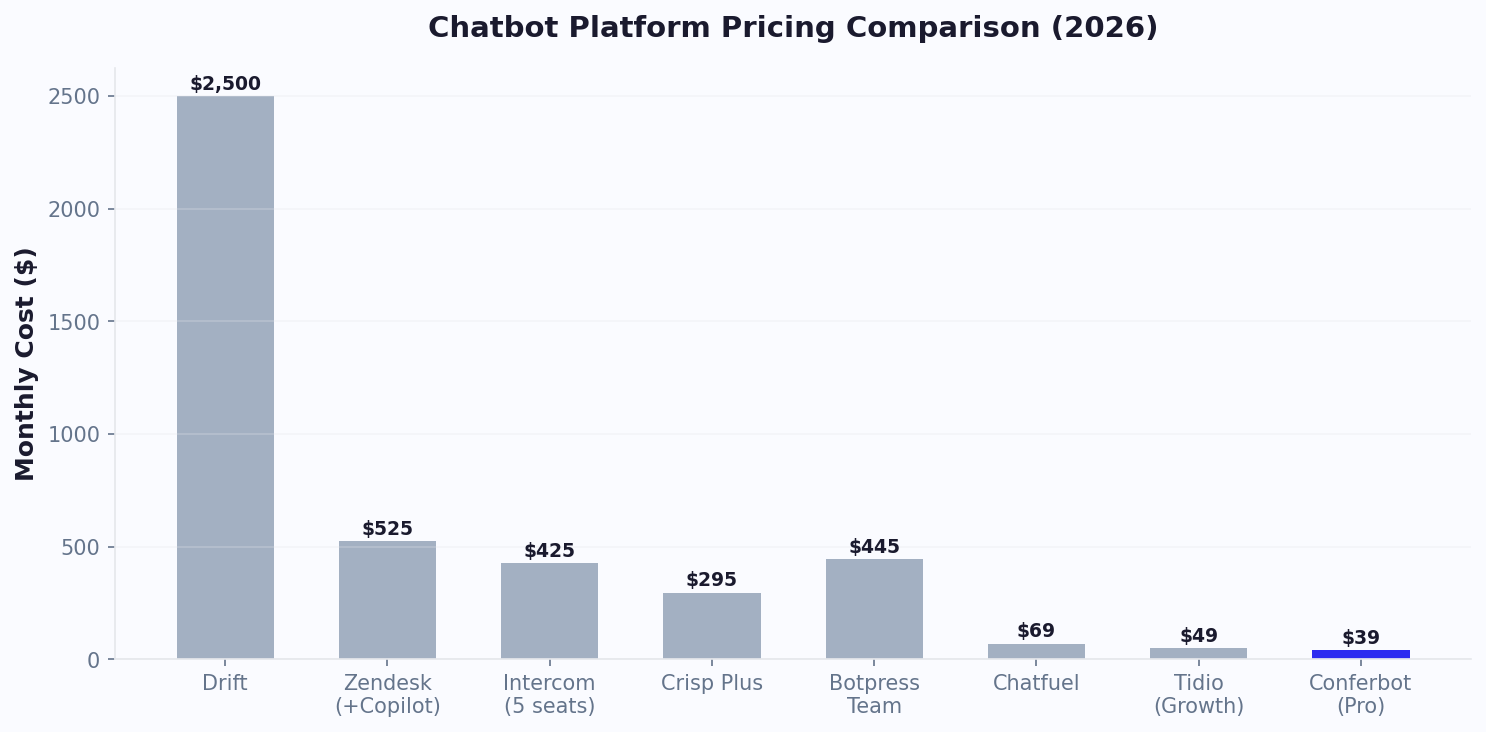
Agent Assist is included in all Conferbot plans that support live chat. It works across all channels -- whether the human agent is responding to a web chat, WhatsApp message, or Instagram DM, the copilot provides the same level of contextual assistance. See pricing details for plan comparison.
Measuring Handover Quality: Key Metrics and KPIs
Deploying an AI agent handover system without measuring its quality is like launching a product without analytics -- you are flying blind. Effective measurement requires tracking metrics at each tier independently and across the entire escalation chain. Conferbot's analytics dashboard provides a dedicated Handover Quality view that surfaces these metrics automatically.
Tier-Level Metrics
Each tier should be measured on its own performance:
- Tier 1 (Chatbot): Containment rate (% resolved without escalation), average conversation turns, drop-off rate, FAQ coverage gap analysis
- Tier 2 (AI Agent): Resolution rate, average confidence score, hallucination rate, knowledge base hit rate, escalation rate to Tier 3
- Tier 3 (Human): Average handle time, first-contact resolution, customer satisfaction (CSAT), agent utilization rate
Cross-Tier Metrics
The most important metrics measure the handover process itself:
- Handover time: How long customers wait between tiers (target: under 10 seconds for chatbot-to-AI, under 60 seconds for AI-to-human during business hours)
- Context completeness: % of escalated conversations where the receiving agent had all necessary information (target: 95%+)
- Repeat rate: % of escalated conversations where the customer had to repeat information (target: under 5%)
- Escalation accuracy: % of escalations that were necessary versus conversations the previous tier could have handled (target: 85%+ accuracy)
- Resolution after escalation: % of escalated conversations successfully resolved at the next tier (target: 90%+)
Benchmarking Against Industry Standards
Based on data across Conferbot's customer base, here are the benchmark targets for a well-configured handover system: overall resolution rate of 90%+ across all tiers, CSAT of 88%+ for escalated conversations, average handover time under 15 seconds, context completeness above 95%, and cost per resolution under $2 blended across all tiers. Teams falling below these benchmarks typically have misconfigured escalation triggers (too aggressive or too conservative) or insufficient knowledge base coverage.
The analytics dashboard includes automated recommendations: if Tier 1 containment drops below 60%, it suggests new FAQ entries to add. If Tier 2 confidence scores cluster around the escalation threshold, it recommends knowledge base expansion. If human agent handle time increases, it highlights common topics for AI training. Compare handover analytics capabilities across platforms on our comparison page.
Industry Examples: AI Agent Handover in Action
AI agent handover transforms support operations differently depending on the industry context. The following examples show how real Conferbot customers have configured their multi-tier architecture to match industry-specific requirements, along with the measurable results achieved.
E-Commerce: Order Issues and Returns
A mid-size e-commerce retailer configured Tier 1 to handle order tracking (API integration with Shopify), sizing questions (knowledge base), and return initiation (structured form). Tier 2 (AI agent) handles complex queries like "I ordered the wrong size but it was a gift and the recipient lives in another country" -- situations requiring reasoning about multiple policies simultaneously. Tier 3 handles refund exceptions and VIP customer complaints. Results: 72% resolution at Tier 1, 18% at Tier 2, 10% reaching humans. Support costs reduced by 58% while CSAT improved from 78% to 89%.
Healthcare: Appointment and Symptom Triage
A telehealth platform uses Tier 1 for appointment scheduling, insurance verification, and prescription refill requests. Tier 2 provides AI-powered symptom assessment using medical knowledge base data, directing patients to appropriate care levels (self-care, urgent care, emergency). Tier 3 connects to registered nurses for clinical questions. Results: 80% of appointment-related queries resolved without human involvement, 35% reduction in unnecessary urgent care visits.
Financial Services: Account Inquiries and Fraud
A digital bank deploys Tier 1 for balance inquiries, transaction history, and card management (freeze/unfreeze). Tier 2 handles complex questions about fees, interest calculations, and product comparisons using real-time account data via API integration. Tier 3 handles fraud disputes, account closures, and regulatory complaints with mandatory human oversight. Results: 68% Tier 1 resolution, average response time reduced from 4 minutes to 12 seconds for routine queries.
SaaS: Technical Support and Onboarding
A B2B SaaS company uses Tier 1 for feature discovery, billing questions, and basic troubleshooting steps. Tier 2 provides AI-powered technical debugging using product documentation and known issue databases. Tier 3 connects to senior engineers for complex technical issues and custom integration support. Results: 55% of support tickets deflected from human agents, new customer onboarding time reduced by 40%.
Each of these implementations uses omnichannel deployment to deliver the same tiered experience across web, mobile, and messaging channels. Explore industry-specific chatbot templates with pre-configured handover flows, or read our customer service AI guide for implementation best practices.
Setup Guide: Deploying AI Agent Handover in 30 Minutes
Setting up a complete three-tier handover system on Conferbot takes approximately 30 minutes for the initial configuration. This guide walks through each step from initial chatbot creation to live deployment with all escalation tiers active. No coding is required for the standard setup -- advanced configurations like custom webhook triggers or CRM-based routing may require developer involvement.
Step 1: Build Your Tier 1 Chatbot (10 minutes)
Start with the visual builder to create your rule-based conversation flows. Use templates as a starting point -- most can be customized in under 5 minutes. Focus on your top 20 FAQs, lead qualification questions, and structured data collection (contact forms, appointment booking). The chatbot should handle 60-70% of expected queries confidently.
Step 2: Configure Your AI Agent (10 minutes)
Navigate to Settings > AI Agent. Connect your OpenAI API key (or use Conferbot's included AI credits on Pro plans and above). Upload your knowledge base -- product documentation, help articles, policies, and any reference material the AI should draw from. Configure the system prompt with brand voice guidelines, prohibited topics, and behavioral constraints. Set the confidence threshold for Tier 1-to-Tier 2 escalation (recommended: 70%).
Step 3: Set Up Human Agent Routing (5 minutes)
Configure live chat agent assignments. Add team members, set working hours, define skill-based routing rules (e.g., billing queries go to finance team, technical issues go to engineering). Configure after-hours behavior: AI continuation with ticket creation, or offline message collection with promised response time.
Step 4: Configure Escalation Triggers (3 minutes)
Set up escalation rules: confidence thresholds, sentiment triggers, intent-based routing, and explicit request handling. Start with conservative defaults and tune based on data after the first week of operation.
Step 5: Test and Deploy (2 minutes)
Use the built-in test mode to simulate conversations that trigger each escalation path. Verify that context passes correctly between tiers. Once satisfied, deploy to your chosen channels with a single click.
- Week 1: Monitor escalation rates and adjust confidence thresholds
- Week 2: Identify Tier 1 coverage gaps and add missing FAQ entries
- Week 3: Review AI agent accuracy and expand knowledge base for weak areas
- Week 4: Analyze human agent common topics and train AI to handle them
After the first month of optimization, most teams achieve a steady state where 65% resolves at Tier 1, 25% at Tier 2, and only 10% reaches humans. Use our ROI calculator to model your expected cost savings based on current support volume, or view pricing to see which plan includes AI agent handover capabilities.
Discover More
Continue Exploring
Explore features, connect third-party tools, and browse ready-made templates.